Indstillinger
 Hurtig levering
 Gratis levering
 Incoterms
 Betalingstyper


 Markedspladsprodukt

M5Stack Core ESP32 - WiFi Network Scanner
2026-06-09 | By Ron Cutts
License: GNU Lesser General Public License Microcontrollers Serial / UART Wifi Arduino ESP32
In this tutorial, we will learn how to make a WiFi scanner using the M5Stack Core ESP32 and Visuino to scan & display the WiFi networks around.
Watch the video!
What You Will Need
Wifi Internet connection or a Wifi HotSpot
Visuino program: Download Visuino
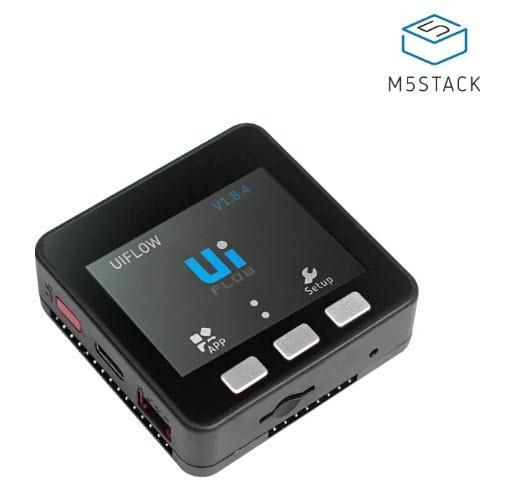


Start Visuino, and Select the M5 Stack Core Board Type
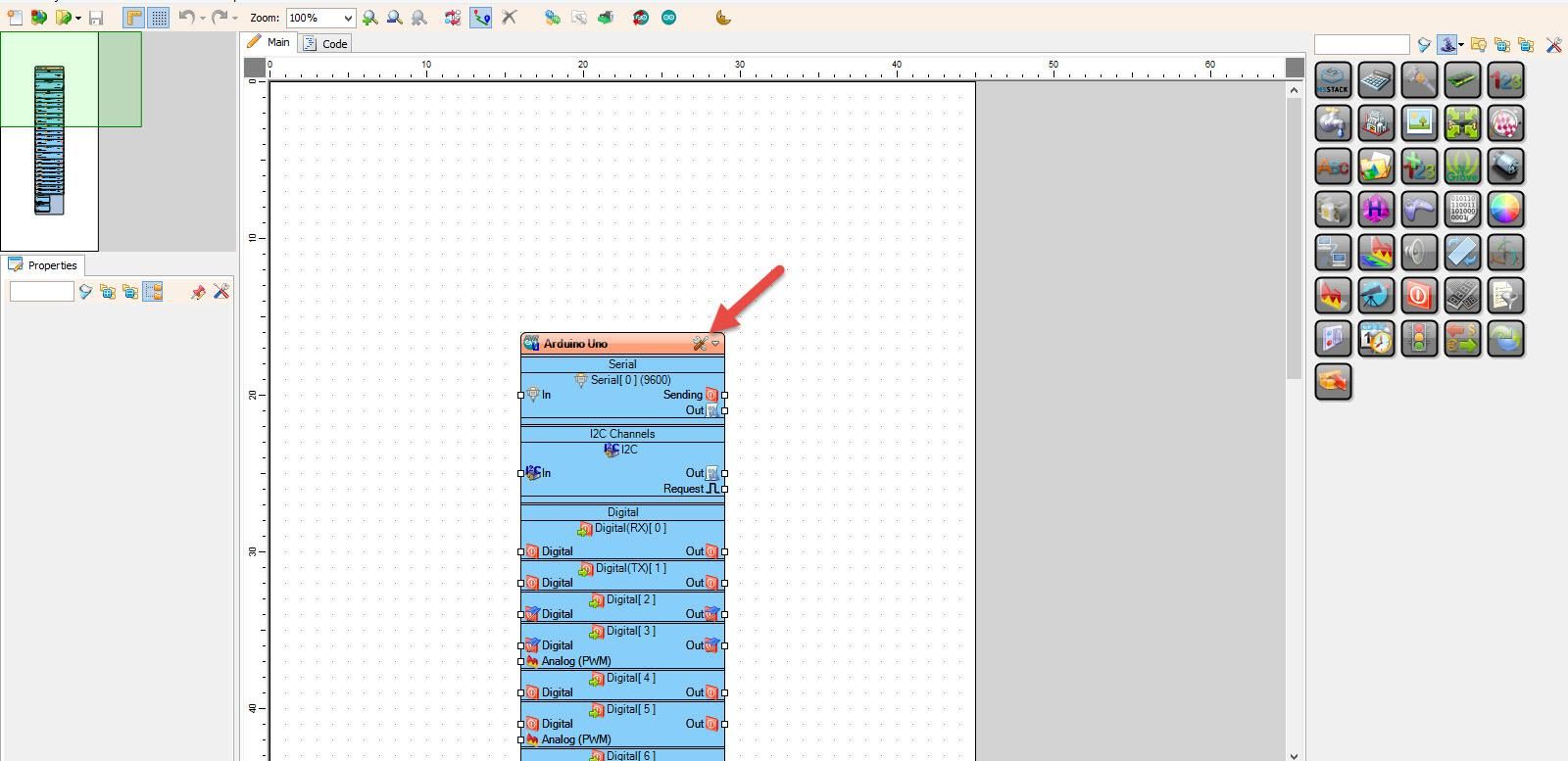
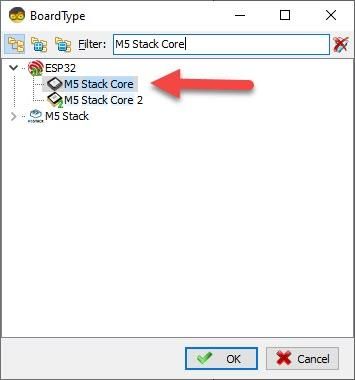
Start Visuino as shown in the first picture. Click on the "Tools" button on the Arduino component (Picture 1) in Visuino. When the dialog appears, select "M5 Stack Core" as shown in Picture 2
In Visuino Add & Set Components
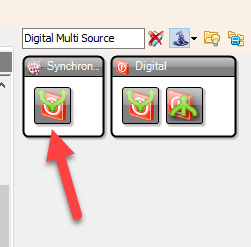
Add "Digital Multi Source" component
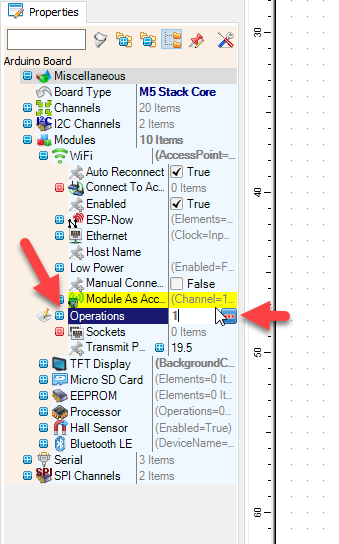
Select "M5 Stack Core" and in the properties window expand "Modules" > "WiFi" > "Operations" and click on the 3 dots button.
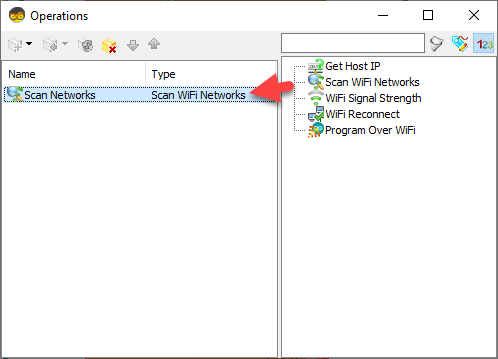
In "Operations" window, drag "Scan WiFi Networks" to the left side
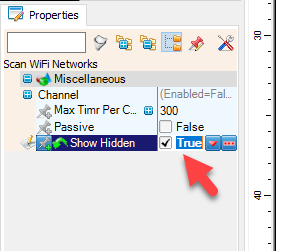
In the properties window, set "Show Hidden" to True; this way, we will also be able to see hidden networks
Close the "Operations" window
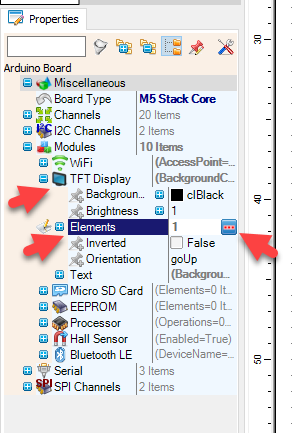
Select "M5 Stack Core" and in the properties window expand "Modules" > "TFT Display" > "Elements" and click on the 3 dots button.
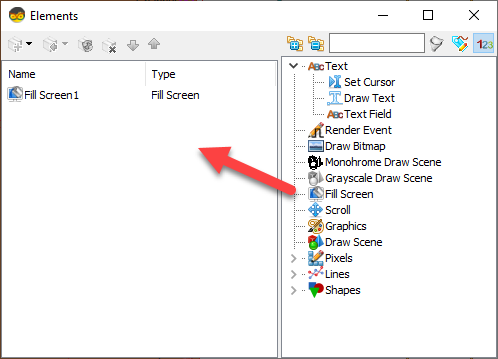
In the "Elements" window, drag "Fill Screen" to the left side and close the window
In Visuino Connect Components
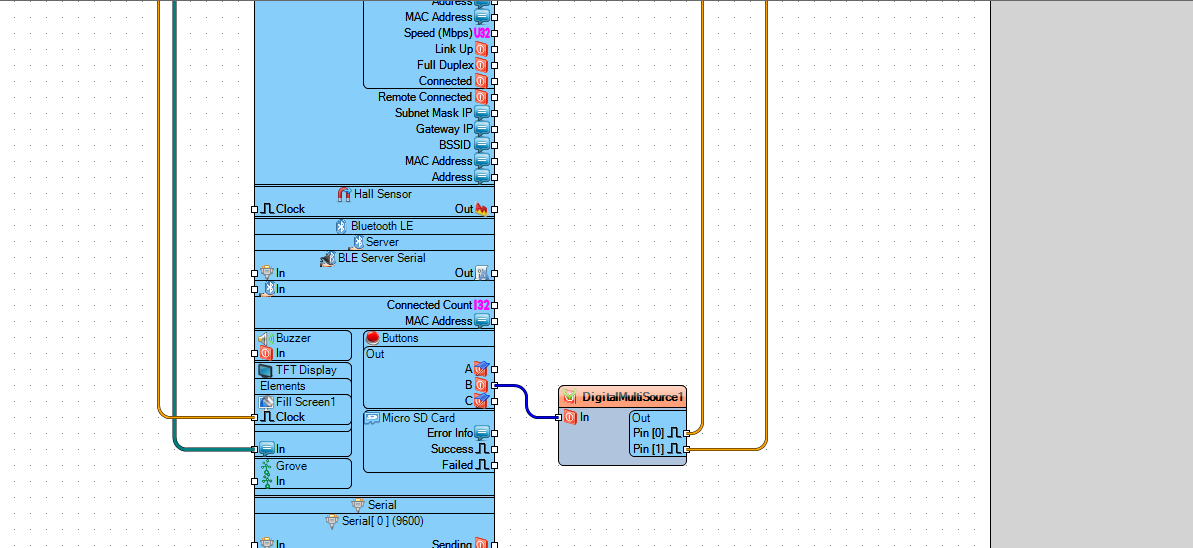
Connect "M5 Stack Core" pin Out (B) to "DigitalMultiSource1" pin [In]
Connect "DigitalMultiSource1" pin [0] to "M5 Stack Core" > "Fill Screen1" pin [Clock]"
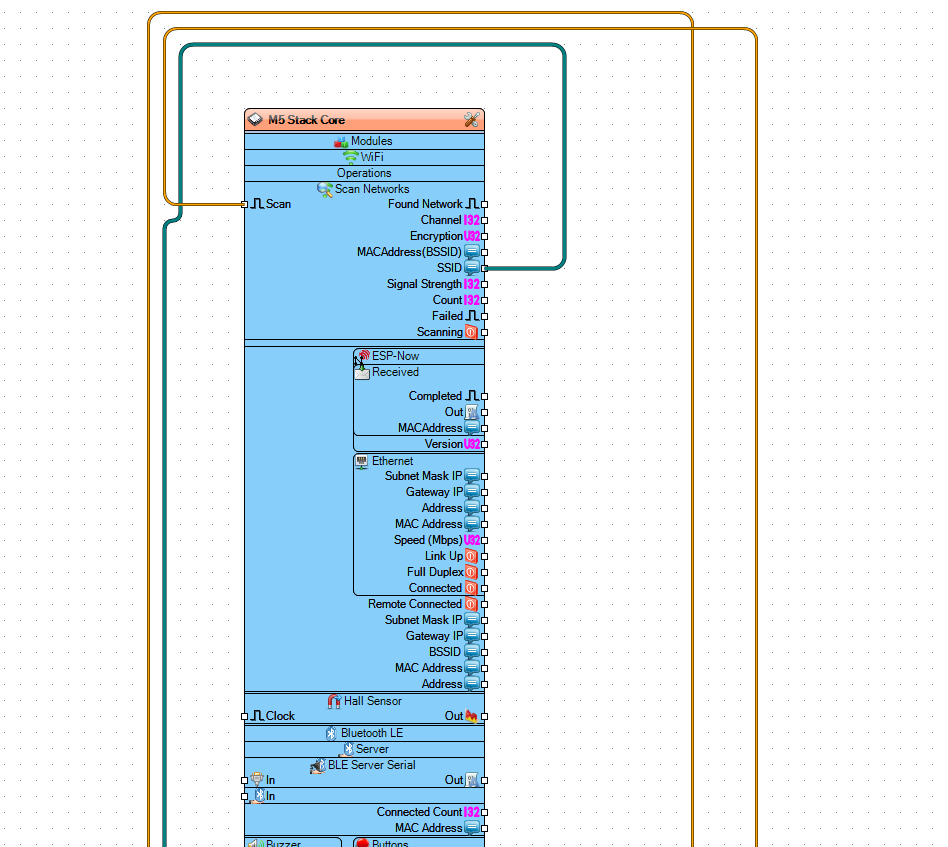
Connect "DigitalMultiSource1" pin [1] to "M5 Stack Core" > "Scan Networks" pin [Scan]"
Connect "M5 Stack Core" > pin [SSID] to "M5 Stack Core" >"TFT Display" pin "In"
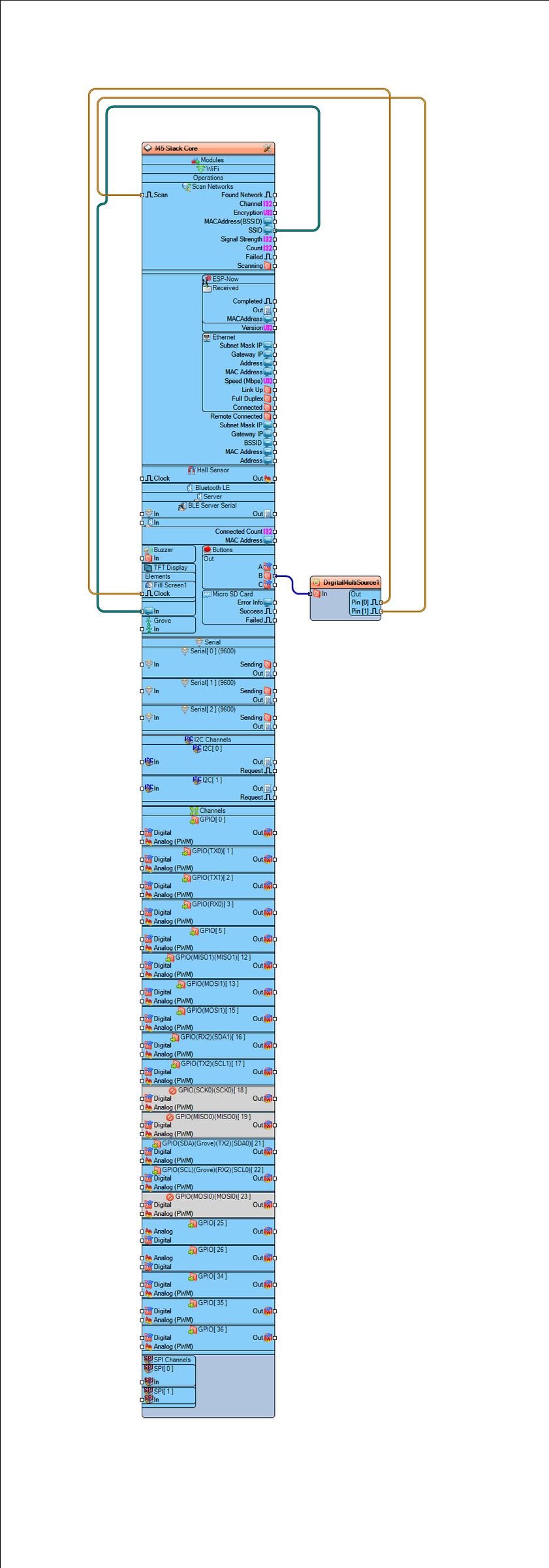
Generate, Compile, and Upload the Code
In Visuino, at the bottom, click on the "Build" tab, make sure the correct port is selected, then click on the "Compile/Build and Upload" button.
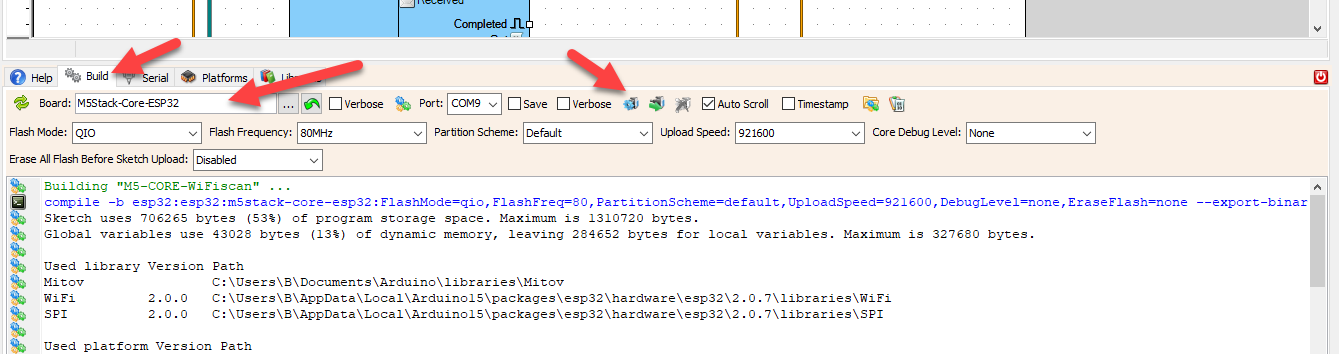
Play
If you power the M5 Stack Core module and click on the B button, the module will start scanning for WiFi networks. After the scanning is finished, you will be able to see on the display the names of the WiFi networks around.
Congratulations! You have completed your project with Visuino. Also attached is the Visuino project that I created for this. You can download it and open it in Visuino: https://www.visuino.eu